







Real-time GitHub Analytics
Visualize commits, issues and pull requests with live data straight from GitHub at a stable 98.2% sync rate.
Intelligent Code Insights
Detect patterns and performance risks automatically. Current threats detected: 0
Engineering Reports
Export technical dashboards ready for stakeholders with high-fidelity custom time ranges.

THROUGHPUT
1.2GB/s
Global Status
0x42_BUFFER_OK
Turn chaotic repos into strategic clarity.
GitGraph processes raw repository metadata through our proprietary analysis engine. Uncover hidden patterns and reduce delivery time by up to 30%.
Smart Parsing
Normalizes raw GitHub events into structured analytical models.
Low Latency
Incremental processing pipeline for near real-time analytics.
Modular Stack
Decoupled ingestion, processing and visualization layers.
Zero Setup
Connect your GitHub account and get actionable insights in seconds.
Privacy as
First-Class Citizen.
GitGraph operates on a stateless architecture. We analyze your team's velocity and patterns without ever cloning or storing your private source code.
SOC2 Type II
Compliant
Zero Code
Access
Seamless Workflow From Code to Insight
Login with GitHub
Authenticate securely using your GitHub account.
Connect Repositories
Select the repositories you want to analyze.
View Analytics
Explore performance, activity and code metrics.
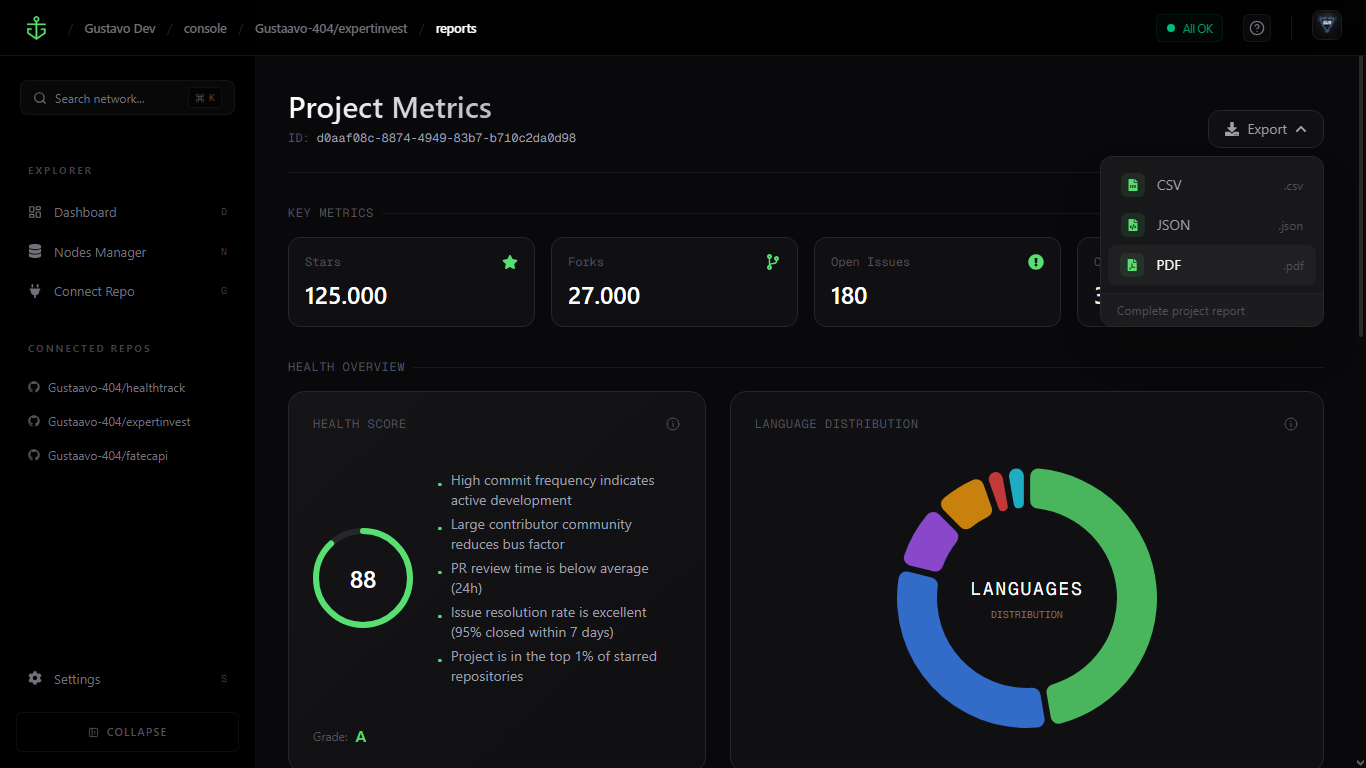
Export Reports
Download reports in PDF, JSON or CSV formats.
Sign in
Connect
Analyze
Account Setup
Start by connecting your GitHub profile. We'll use this to access your repositories and provide a personalized analysis of your development workflow.
>Click the 'Connect GitHub' button to authorize secure access.
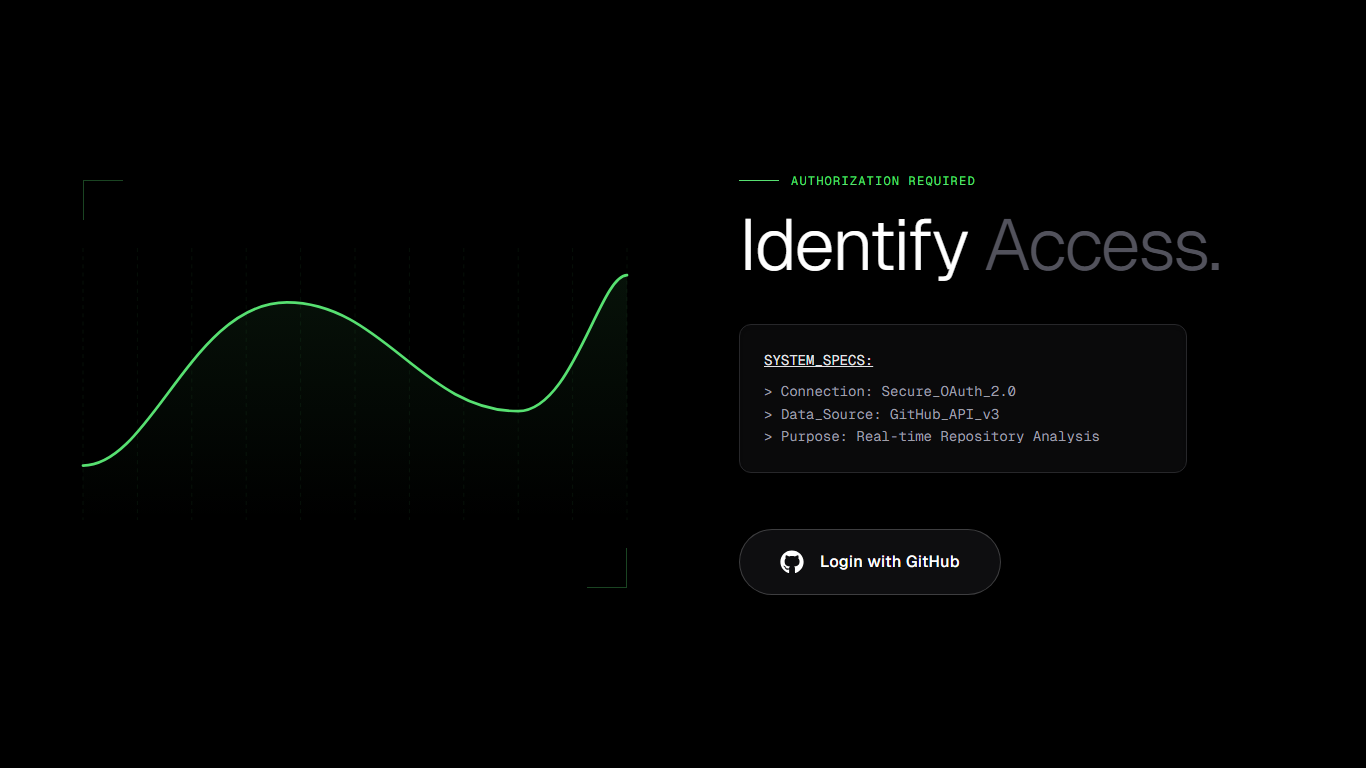
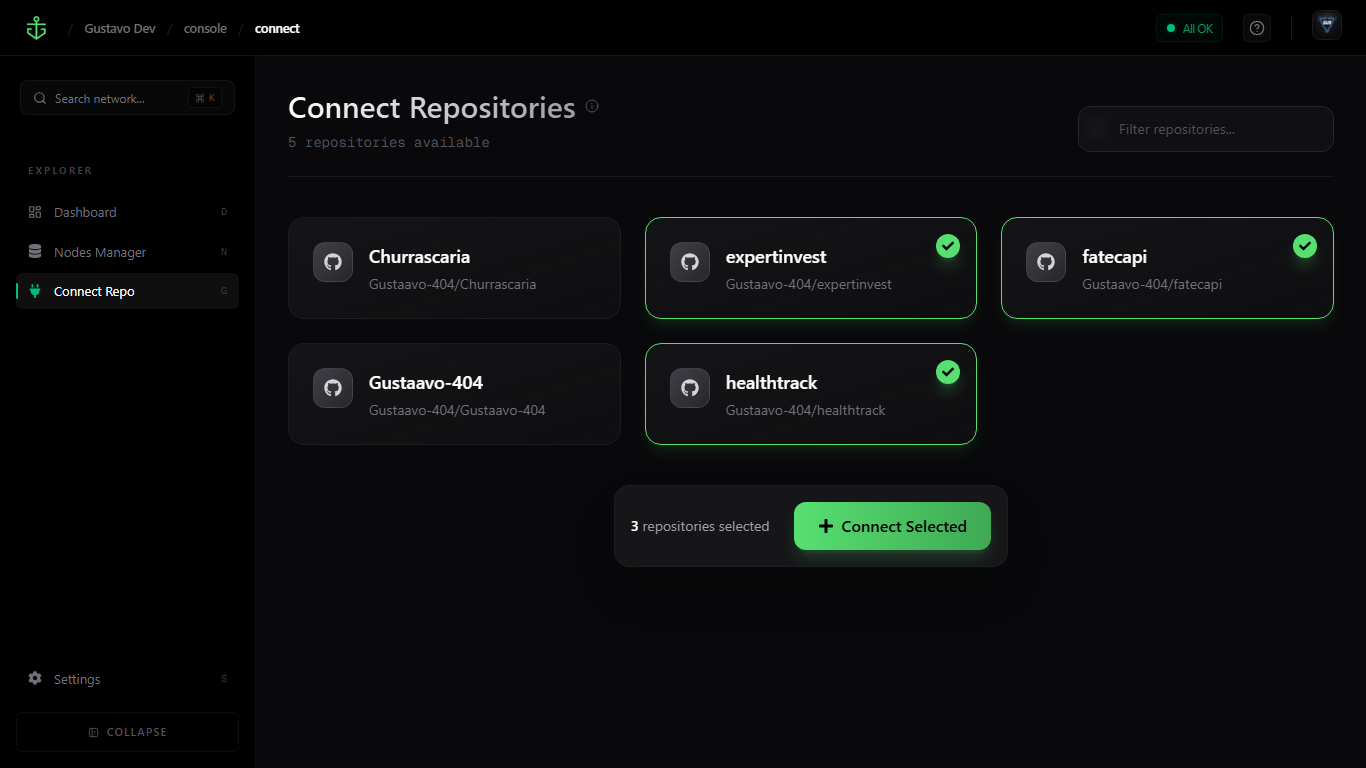
Select Repositories
Choose the specific projects you want us to monitor. You can select individual repositories or entire organizations to get a bird's-eye view of your code.
>Use the search bar to filter and pick your active project branches.
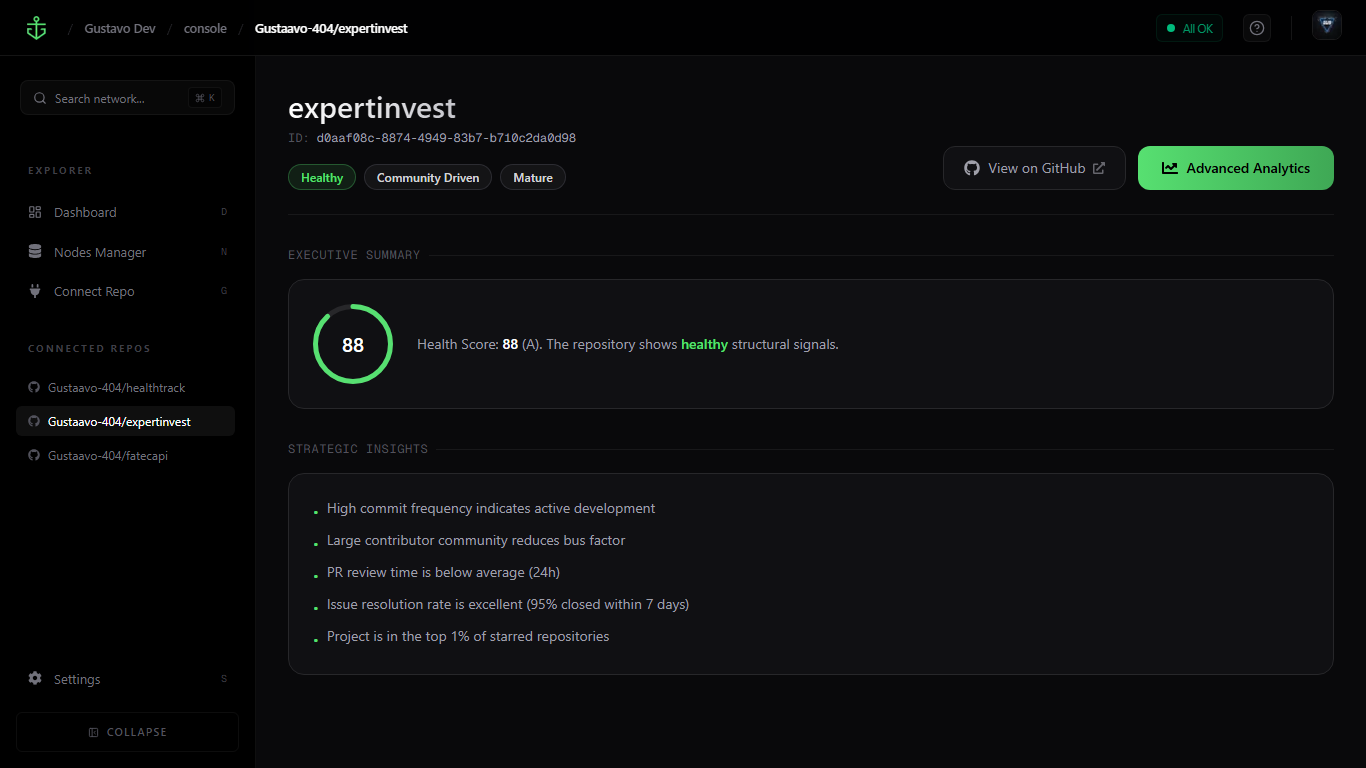
AI Analysis
Our AI engines scan your codebase for technical debt, security vulnerabilities, and logic flaws, providing real-time feedback on every commit.
>Sit back while our models process your code structure and history.
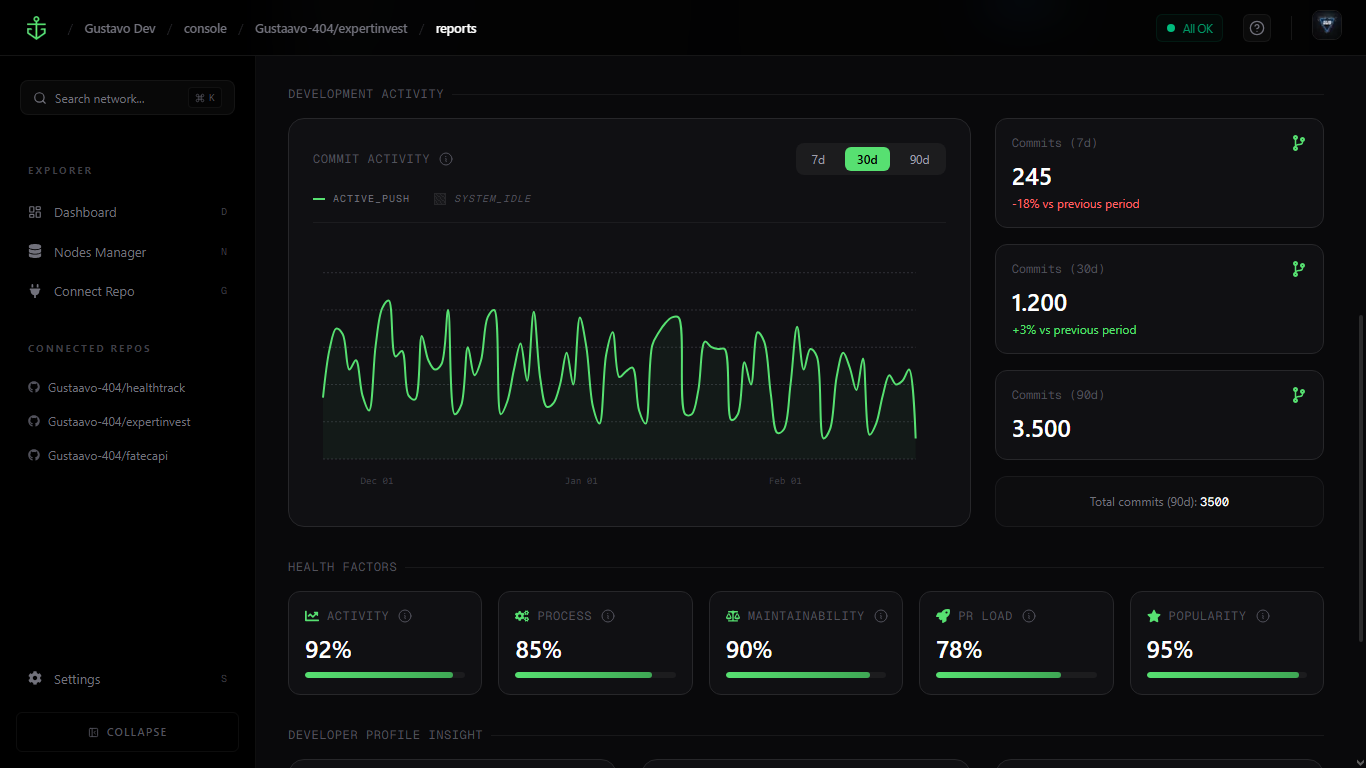
Review Insights
Explore detailed reports that highlight areas for improvement. We categorize issues by severity so you know exactly what needs your attention first.
>Check the 'Critical' tab to address urgent architectural bottlenecks.
Optimize & Sync
Apply suggested fixes and sync your progress. Export comprehensive analytics to share with your team and track your technical debt reduction over time.
>Download your first full PDF report or sync with Jira/Slack.
Start your
Journey Now.
Transform your repository data into actionable intelligence. Connect in seconds, scale for years.